Fanvil IP Phones for Video Meetings: The V67 Deep Dive (2026)
Video calling has quietly become a boardroom expectation, not a bonus. Executives want to jump onto a face-to-face call without booting a laptop or fiddling with a webcam. That is precisely the niche modern fanvil ip phones now target, and the flagship V67 sits at the top of that lineup.
After running the V67 on real executive desks throughout 2026, I can say it changes how people treat their desk phone. It stops being a fallback device and becomes the primary meeting hub. Let us break down what makes it worth the premium.
What makes the Fanvil V67 a true flagship
The Fanvil V67 Flagship Smart Video Phone runs on Android, which unlocks a genuine app ecosystem on the desk. You get a large adjustable colour touchscreen, a built-in camera with a privacy shutter, and full SIP support for standards-based calling.
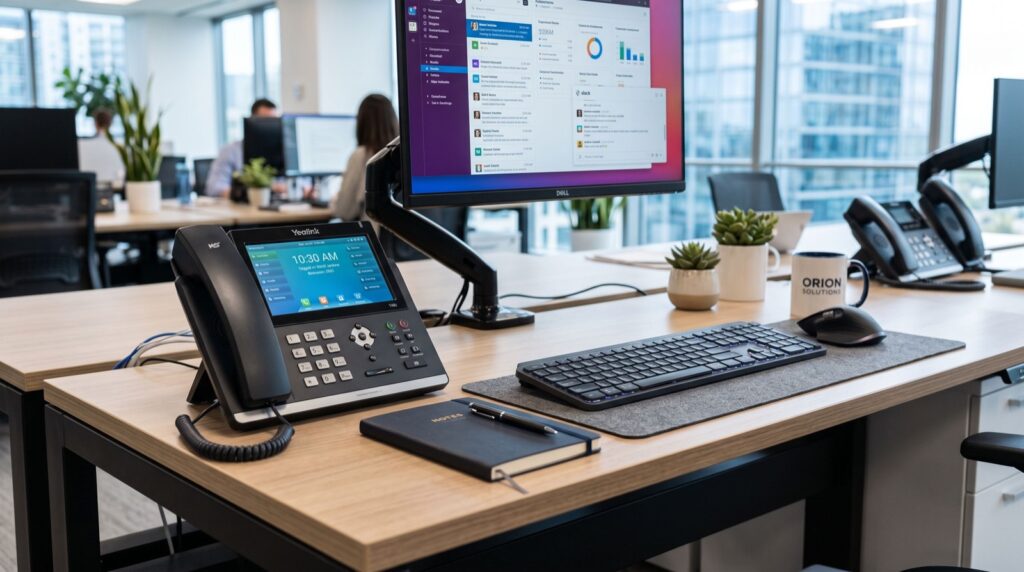
Unlike basic handsets, the V67 blends telephony with collaboration. It can join video meetings, run productivity apps, and still register to your PBX as a normal SIP endpoint. Think of it as a smart terminal that happens to make phone calls.
Why do executives prefer a smart video phone?
Decision-makers value speed and presence. A dedicated video phone removes friction: no browser tabs, no headset hunting, no laptop lid to open. The camera and mic are always ready, so a spontaneous video call takes one tap.
- Instant face-to-face calls without a computer.
- A large touchscreen that doubles as a control panel.
- Bluetooth and Wi-Fi for a cable-light desk.
- A privacy shutter that reassures security-conscious users.
V67 versus a standard desk phone: the honest comparison
The V67 is not for every seat. To see where it earns its price, compare it against a conventional business handset side by side.
| Capability | Fanvil V67 | Standard Desk Phone |
|---|---|---|
| Operating system | Android smart OS | Fixed firmware |
| Built-in camera | Yes, with shutter | No |
| Touchscreen | Large adjustable | Small or none |
| Wi-Fi and Bluetooth | Both included | Rare |
| Third-party apps | Supported | Not supported |
| Ideal user | Executives, managers | General staff |
The pattern is clear. Roles that live in meetings benefit hugely, while a warehouse phone point does not need any of this. Match the device to the seat.
Getting the most from your V67
Buying the hardware is only step one. A few deliberate configuration choices separate a phone that impresses from one that frustrates.
- Register the SIP account first and confirm audio both ways.
- Update to the latest firmware for the newest video codecs.
- Connect over wired Ethernet when possible for stable video.
- Pair a Bluetooth headset for private, mobile conversations.
- Set the privacy shutter policy so users trust the camera.
Fanvil documents these steps and codec options on its official portal. Reviewing the manufacturer resources at Fanvil’s global site before rollout saves time and avoids guesswork on advanced features.
Security matters more with a smart phone
Because the V67 runs Android, treat it like any networked computer. Change default passwords, keep firmware current, and limit app installs to trusted sources. VoIP endpoints are common targets, so basic hardening pays off.
- Enforce strong admin credentials on the web console.
- Enable TLS and SRTP where your PBX supports them.
- Restrict app sideloading in managed environments.
How the V67 changes daily executive workflows
The real value of a smart video phone shows up in the small moments that repeat all day. A manager can glance at the touchscreen, tap a contact, and be face to face with a colleague before a laptop would even wake.
That immediacy compounds. Quick video check-ins replace long email threads. Screen-free clarity during a client call feels more personal than a rushed audio dial. Over weeks, those saved minutes and warmer conversations add up to a noticeable productivity gain.
Pairing the V67 with the rest of your stack
The V67 works best when it complements, not duplicates, your other tools. Think of it as the always-ready hub on the desk while laptops handle deep document work.
- Use the phone for spontaneous face-to-face calls and quick meetings.
- Keep heavy editing and multi-window tasks on the computer.
- Sync contacts so both devices reach the same people instantly.
- Let the phone answer while the laptop stays free for notes.
This division of labour prevents the awkward juggling that frustrates users who try to force one device to do everything. Each tool plays to its strength.
Is the V67 right for your Pakistani office in 2026?
For companies embracing hybrid work, the answer is often yes. Teams in Islamabad, Karachi, and Lahore increasingly run cross-city and international meetings, and a dedicated video phone makes those calls effortless.
The premium only makes sense for the right seats, though. Equip your leadership and client-facing staff with the V67, then fit general employees with simpler models. That tiered approach controls cost while still projecting a polished image.
When you plan a deployment, lean on reputable service experts for the network design. Solid switching, VLAN segmentation, and enough bandwidth are what keep video crisp during busy hours.
Budget planning helps too. Rather than buying flagship phones for every seat, calculate how many roles genuinely benefit from video. A short survey of who joins meetings weekly usually reveals a small, obvious list. Equip those seats first, then expand only if demand grows.
Finally, factor in firmware support and warranty when you buy. A smart phone lives on your network for years, so ongoing security updates and reliable local service matter as much as the launch-day feature list. Choose a supplier who stands behind the product long after the sale.
Frequently Asked Questions
Does the Fanvil V67 need a computer for video calls?
No. The V67 has a built-in camera, microphone, and Android software, so it makes video calls on its own. That independence from a laptop is one of its biggest advantages for busy executives.
Can the V67 run apps like a smartphone?
Yes, within reason. It runs on Android and supports approved third-party apps, letting you add collaboration and productivity tools. In managed setups, administrators usually restrict which apps can be installed.
Is Wi-Fi reliable enough for V67 video?
Wi-Fi works well, but wired Ethernet gives the steadiest video quality. If you must use Wi-Fi, place the phone near a strong access point and keep the network lightly loaded during meetings.
How does the privacy shutter work?
A physical shutter slides over the camera lens. When closed, it blocks the view entirely, giving users visible proof that no video is being captured. This reassures privacy-conscious staff and clients.
Final thoughts
The Fanvil V67 redefines what a desk phone can be. By fusing HD video, a smart Android interface, and standards-based SIP calling, it turns any desk into a ready meeting station. For leadership seats in 2026, choosing quality fanvil ip phones like the V67 delivers a real productivity edge. Match the device to the role, harden it properly, and it will pay for itself in smoother meetings.